Captures
It moved to its own page: Schedules.
A capture is a saved query that writes its results into the historical warehouse, and any data source type can opt in. Once a source has opted in, its scheduled runs are captured, and a second opt-in extends capture to manual runs of saved queries. A manual run of a parameterized query captures whatever parameters it ran with, so it lands in the same table as the scheduled snapshots. Unsaved editor runs are never captured.
/captures lists every capture in the instance and whether it delivered on time, which is how you check whether the capture behind a stale-looking chart kept up. The page is open to everyone rather than to admins only. Search by capture name or connection; every column sorts except Datasets and Metrics affected.
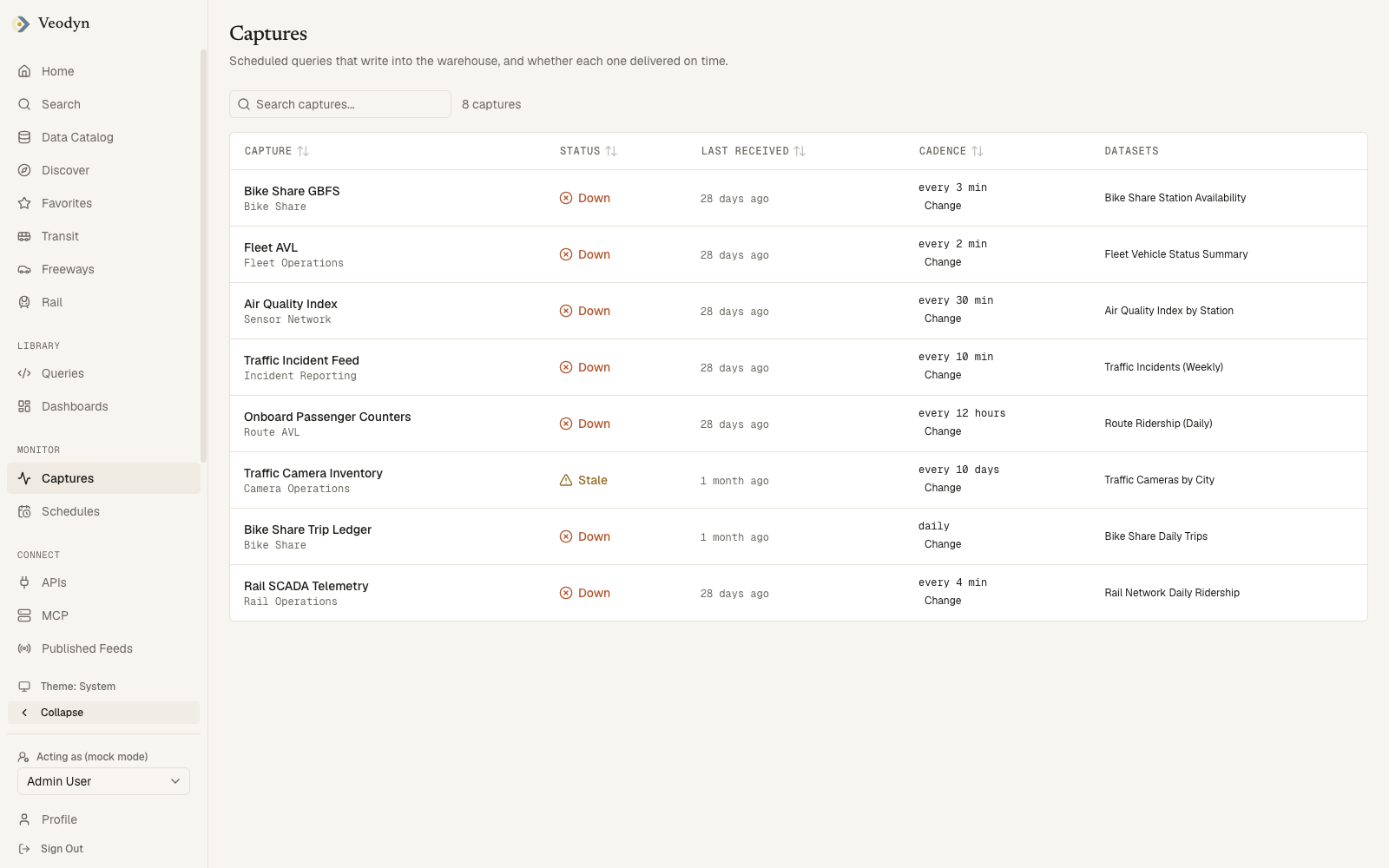
| Column | What it holds |
|---|---|
| Capture | The capture's name, with the Redash connection it reads underneath |
| Status | Fresh, Stale or Down, and how that verdict was reached |
| Last received | When data last arrived |
| Cadence | How often it is expected, plus a control to set that expectation |
| Datasets | The catalog datasets this capture populates, each a link |
| Metrics affected | The KPIs that read those datasets, or None when nothing depends on it. Enterprise: a community build has no metrics feature registered, so this column does not appear at all |
Read the line under the status
A status can be reached two ways, and the page tells you which:
- Derived: computed as Stale past twice the cadence and Down past ten times it, but never better than the status the catalog already reported: if the catalog already calls a capture stale, it shows Stale immediately, whatever the multiple says. The cadence comes from an expectation someone declared, marked expected, or, failing that, from the capture query's own Redash schedule.
- as reported, printed under the status when neither a declared expectation nor a schedule interval exists to derive a cadence from. What shows instead is the catalog's own freshness check: whether the last capture landed inside the instance's configured stale-after window, with no per-capture multiplier applied. The Cadence column then reads None declared, so age is not checked.
A capture with neither a declared expectation nor a schedule cannot be judged late against its own cadence, however long it has been silent. A green Fresh marked as reported therefore reflects the catalog's blanket cutoff rather than a verdict specific to that capture. Setting an expected interval on such a capture gives the status something the product can check.
Metrics affected is the blast radius (enterprise)
This column answers what a stale capture breaks. It traces the capture to its datasets and on to the KPIs computed from them, so a capture that has been silent for eleven days names the metrics still reading old numbers, or says None when nothing depends on it.
Metrics are enterprise. On a community build, no feature registers this column, so it does not appear on the page at all, rather than rendering every row as None and implying nothing depends on the capture. The rest of the page, including the verdict and the cadence expectation, is community.