Channels
The Channels page and the connectors below are part of the enterprise edition, and sit behind the messages and connectors feature flags.
A channel is any place a message can go. There are two kinds.
- An alert feed is a published feed of GTFS-Realtime service alerts. A message published to it is served to every rider app reading that feed for as long as its active period runs, and withdrawn when the period ends.
- A connector posts to an account the agency already has: its X account, its Facebook Page, or the notification platform that holds its rider subscriptions. A message is sent once, when it is published, and the end of its active period does not take the post down.
An alert feed becomes a channel the moment it is published. A connector becomes one the moment its credentials are saved.
The Channels page
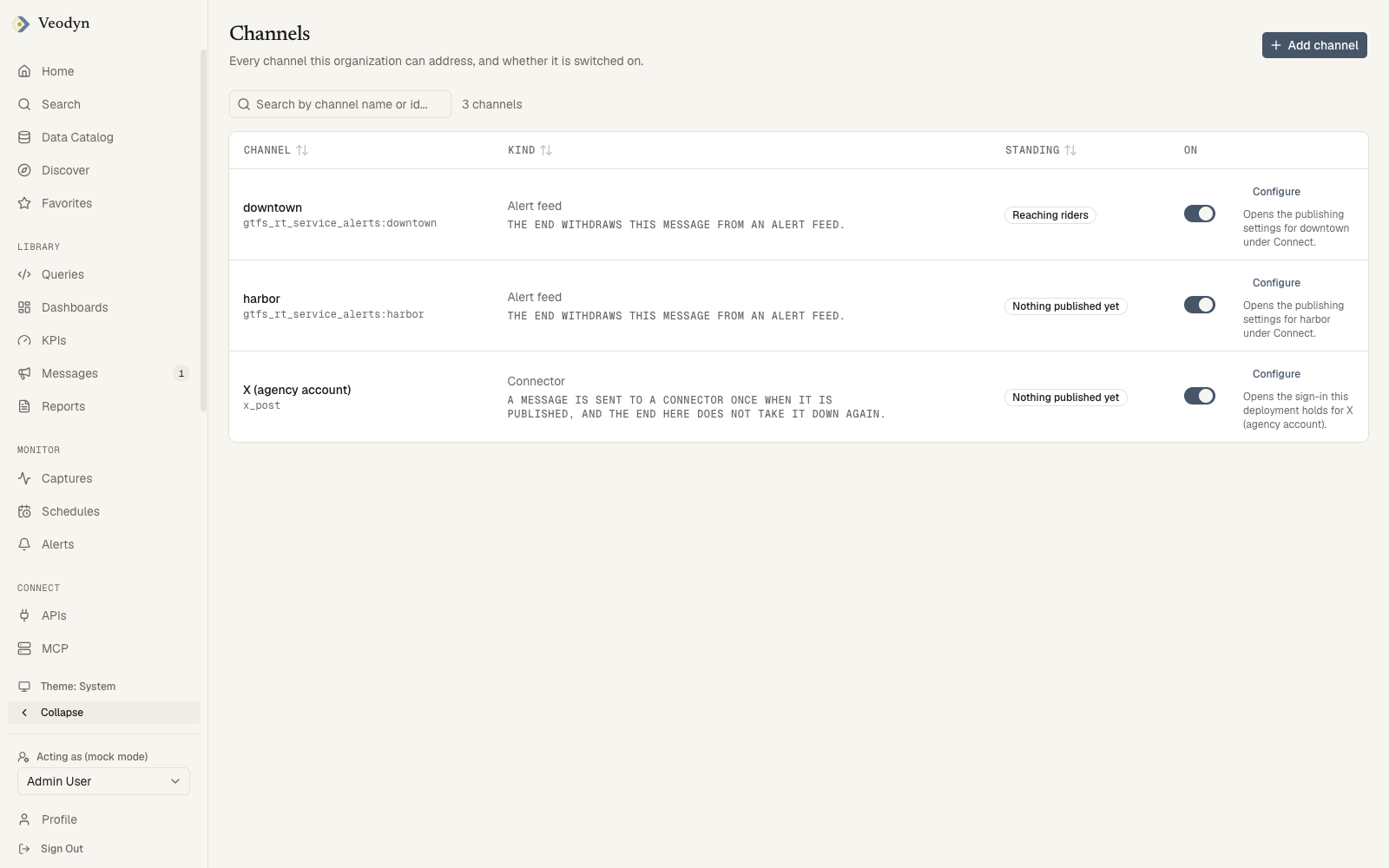
Admin → Channels (/admin/channels) lists every channel this organization can address.
| Column | Holds |
|---|---|
| Channel | The display name, with the channel id underneath |
| Kind | Alert feed or Connector, with what the end of an active period does on it |
| Standing | Reaching riders, Nothing published yet, or Switched off |
| On | The switch |
| Configure | The feed's publishing settings under Connect, or the connector's credentials page |
Reaching riders means at least one message has been published to the channel. Nothing published yet means none has, which is normal for a channel that was just added.
Switching a channel off keeps it on the list and keeps it selectable in the composer, with a "switched off" caption. What changes is delivery: a published message is not sent to a channel that is off, and an alert feed that is off is not rebuilt. The row says which of the two applies.
Add channel offers the two kinds. An alert feed is declared under Published Feeds, and a connector on its own page, below.
Configuring a connector
A connector's page (/connectors/<id>) is where its credentials are entered. Nothing about a connector comes from the environment or the config file: the credentials are stored per organization when you save, and the same page is where they are replaced.
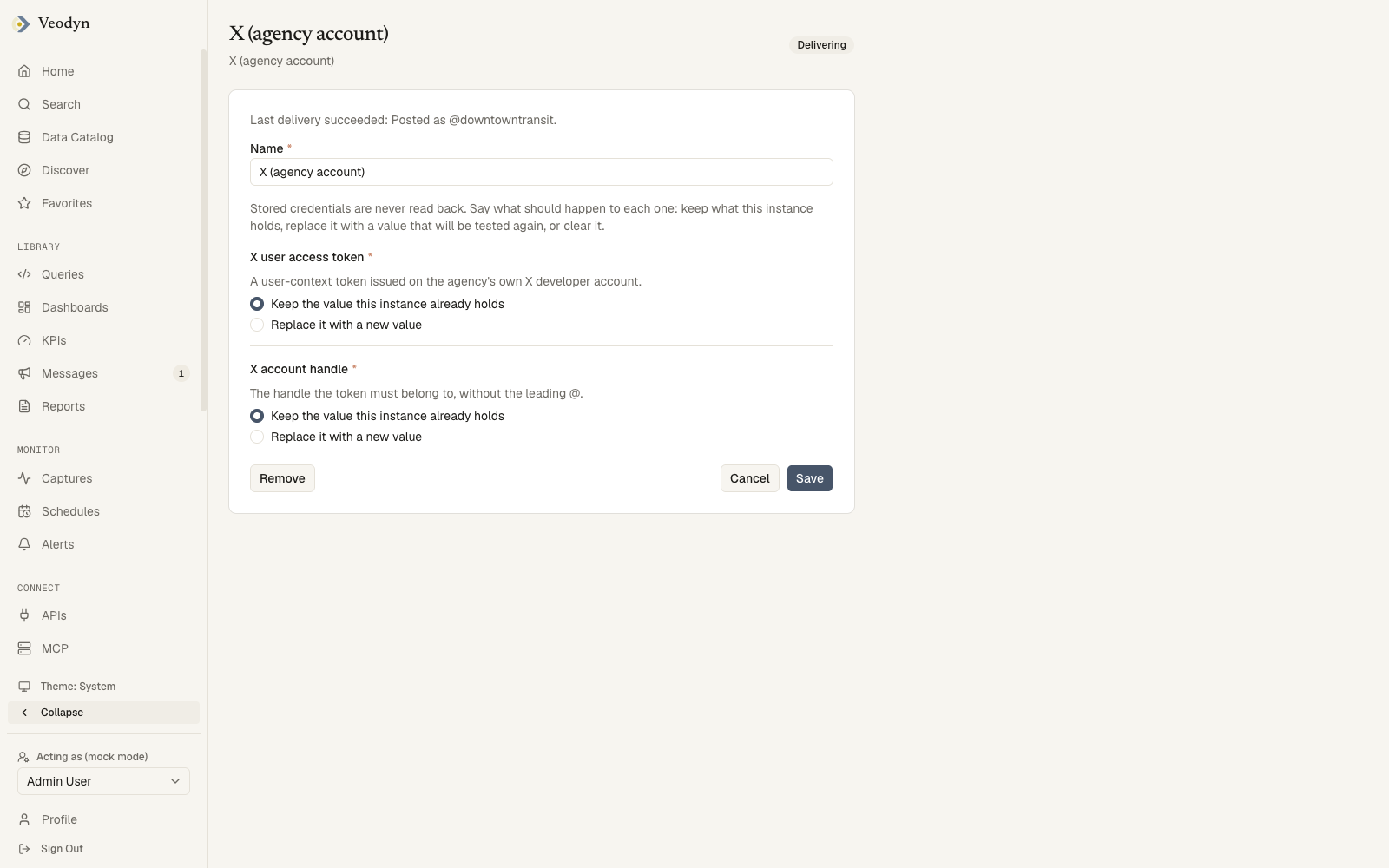
Stored credentials are never read back. Each one shows a choice instead: Keep the value this instance already holds, or Replace it with a new value. An optional credential adds Leave this unset. Saving with a replaced value tests it against the service before storing it, and a value the service refuses is not stored.
The pill in the header is the connector's health:
| Health | Meaning |
|---|---|
| Untested | Credentials accepted, nothing delivered through it yet |
| Delivering | The last delivery succeeded |
| Failing | The last delivery did not, and the line under the pill says why |
Remove takes the connector off the channel list.
Adding one starts at /connectors/new, which offers the connector types this deployment has installed and then the fields that type needs. A type can be configured once per organization.
The connectors
| Connector | Posts to | Credentials | Cap |
|---|---|---|---|
| X (agency account) | The agency's own X account | A user-context access token issued on the agency's X developer account, and the handle it belongs to | 280 characters, a URL counting as 23 |
| Facebook Page | The agency's own Page | The Page id and a Page access token issued to the agency's Meta app | 63,206 characters |
| Incumbent notifier (rider email and SMS) | The agency's existing notification platform, which owns every subscriber and their consent | The platform's API base URL, the topic a bulletin fans out to, and an API key issued on the agency's account | None |
All three take plain text, so a message carrying markup is refused for them in the composer's preview. None of them can take a post back once it is out, which is why a correction to a message that went to a connector is sent as a follow-up rather than replacing the original.
The composer shows each connector's cap in its preview card, and a message over the cap cannot be sent for review until it fits.